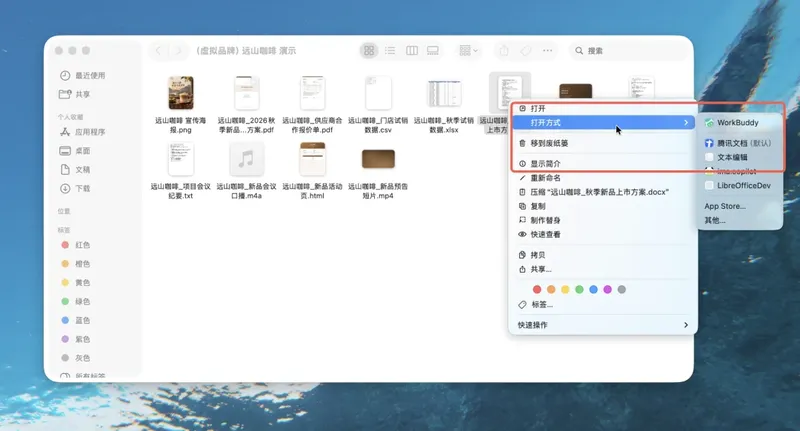
IT Home On October 8, Tencent announced that its AI office product, WorkBuddy, has officially launched a separate file browser. Users can now find a file in the File Explorer/Finder, right-click on it, select WorkBuddy to open it, and view the file in a separate window while directly using AI for analysis, modification, or further processing.
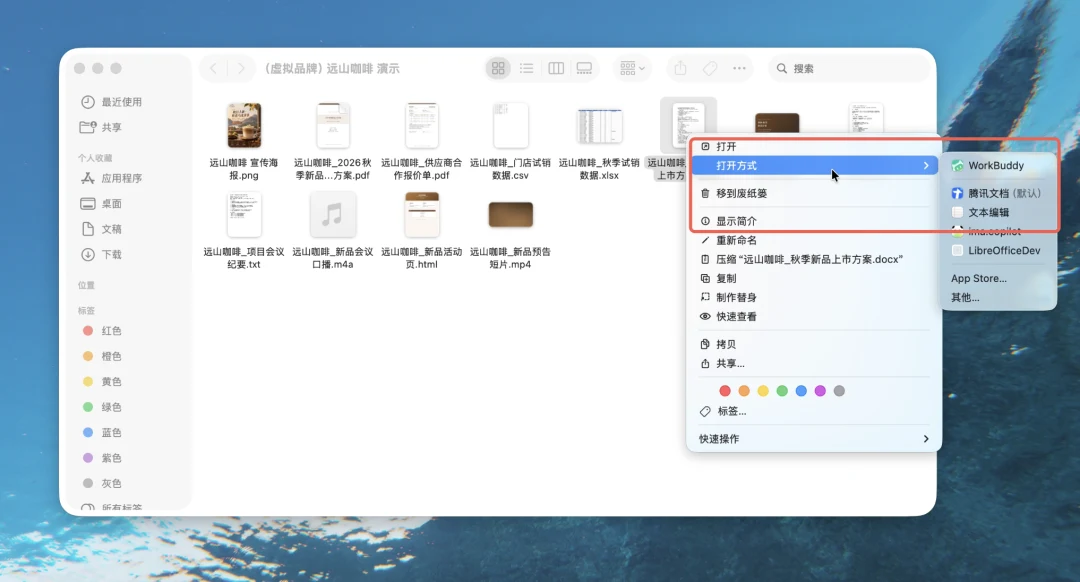
According to IT Home, WorkBuddy file browser can directly open files such as Word, Excel, PPT, PDF, Markdown, and HTML. You can view and edit them in the same window, and call Buddy to process them at any time. It supports switching between multiple file tabs, and each file has its own Buddy conversation. There is no need to download separately; just update WorkBuddy and you can use it immediately.
When viewing a file, users can also ask questions to the AI from the chat window on the right. They can view, ask questions, and make changes all directly related to the file in front of them. A single window can also open multiple files, and each file will be preserved as a tab. When switching tabs, the AI conversation on the right will also switch accordingly.
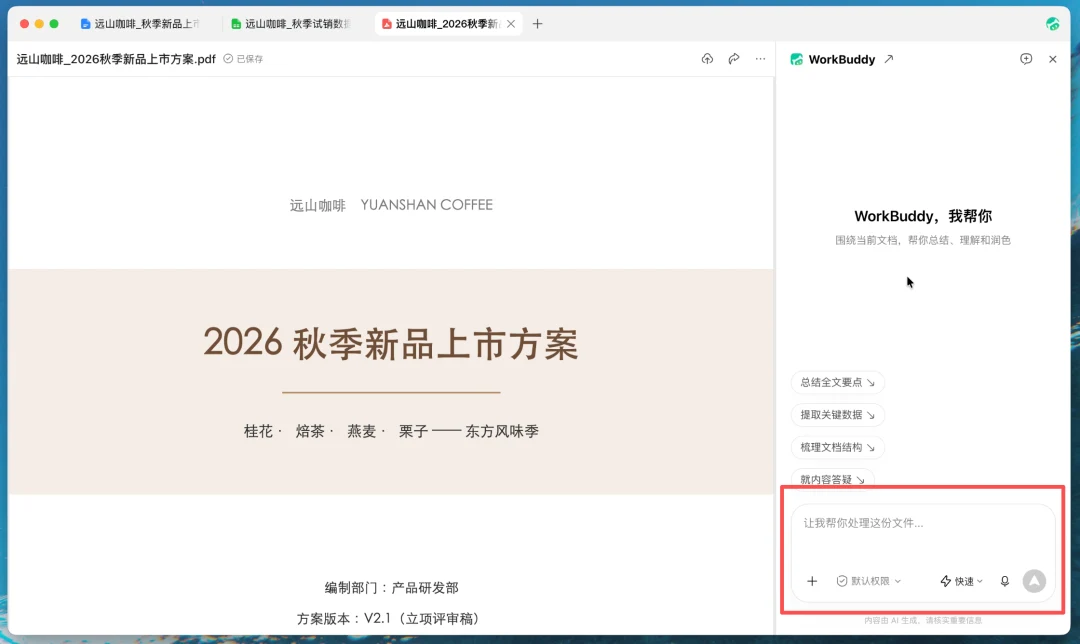
In addition, WorkBuddy can also directly handle editable files. You can make changes by yourself, or have the Buddy participate at any time. You can also select a section in the text first, and then have the Buddy rewrite, polish, or add content to that part. The Buddy will directly modify the corresponding position, and the result will be reflected in the current document.
After modifying the Word, Excel, or PPT files, click Save or use Ctrl / Command + S, and the changes will be written back to the local file directly; Markdown editing results are automatically saved; HTML is automatically saved when the editing state is exited. Users can also present documents in other ways, such as opening an Excel file, and directly say: “Use this data to create a web-based report.”