
Droids now have a fleet of sandboxes
By Factory Team - October 12, 2026 - 2 minute read
Product
Share
This week, we're shipping our vision for the best cloud agent experience. We're starting with the foundation of every cloud agent: the sandbox where it runs.
Today, we're introducing Environments, now generally available.
When you run agents in the cloud, you can parallelize projects across dozens of them and log off while they keep going.
An Environment is a reusable definition of the sandbox your Droids run on, composed of the repositories, tools, and dependencies they need. Factory builds your Environments into portable images ahead of time, so each sandbox is ready before the Droid arrives.
Onboard your Droids instantly
Like an engineer on their first day, an agent in a completely new environment has to work out how to clone repositories, install toolchains, track down undocumented configurations, and complete a first successful build. They spend time and tokens onboarding to your codebase rather than completing meaningful work.
Environments capture that onboarding work, so every Droid can start contributing immediately.
Configuring an Environment for your repositories should be as easy as onboarding a new hire. Our Agent Readiness framework includes a documented, one-line setup command as a criterion for agent-native codebases.
Environments evolve with your codebase
Engineering teams ship changes quickly, so the same environment that works today might be missing core updates or dependencies tomorrow. Factory rebuilds Environments every few hours and validates each new build. Only successful builds are promoted, so Droids never start from a faulty environment.
Orchestration built on Environments
Environments unlock new ways to orchestrate large, complex tasks in parallel using Factory.
Automations
Automations run recurring tasks on a schedule or in response to Slack, GitHub, and webhooks. When an Automation points at an Environment, each run starts on a fresh sandbox from the last validated build. Your Monday morning security audit doesn't fail because your previous Droid Computer went down, and your webhook Automation triages a CI failure within seconds instead of stopping to install updates. These runs act as you or a service account and follow the same policy as any other Droid.
Agent Readiness
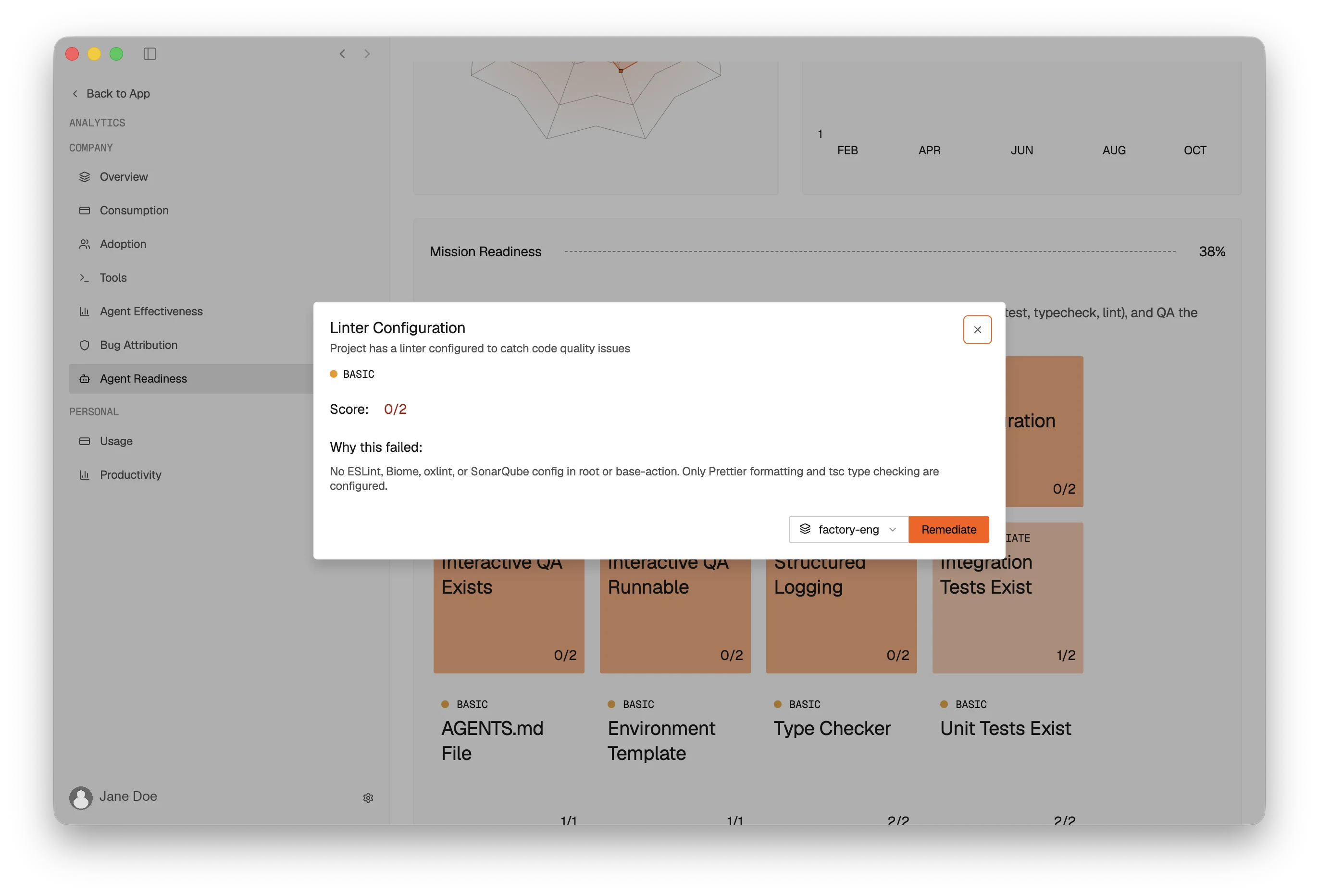
Agent Readiness ensures your repositories are prepared for Droids to work productively. It scores each repository out of five, where five means a repository is fully ready for agents to be maximally productive. We've found that most enterprise customers start at level two.
Missions, our long-running multi-agent framework, work best on repositories at level four or above. Climbing those levels has been challenging because addressing the individual issues holding repositories back meant setting up several Droid Computers or keeping several clones of the repository locally. With Environments, you can fan out the fixes across multiple sandboxes.
Control beyond the sandbox
Factory's platform enables your organization to orchestrate a fleet of Cloud Agents with confidence. Environments are standardized and centrally managed by administrators. Factory's Enterprise Controls still apply, so every cloud Droid operates under the same policies and uses the same set of tools and dependencies.
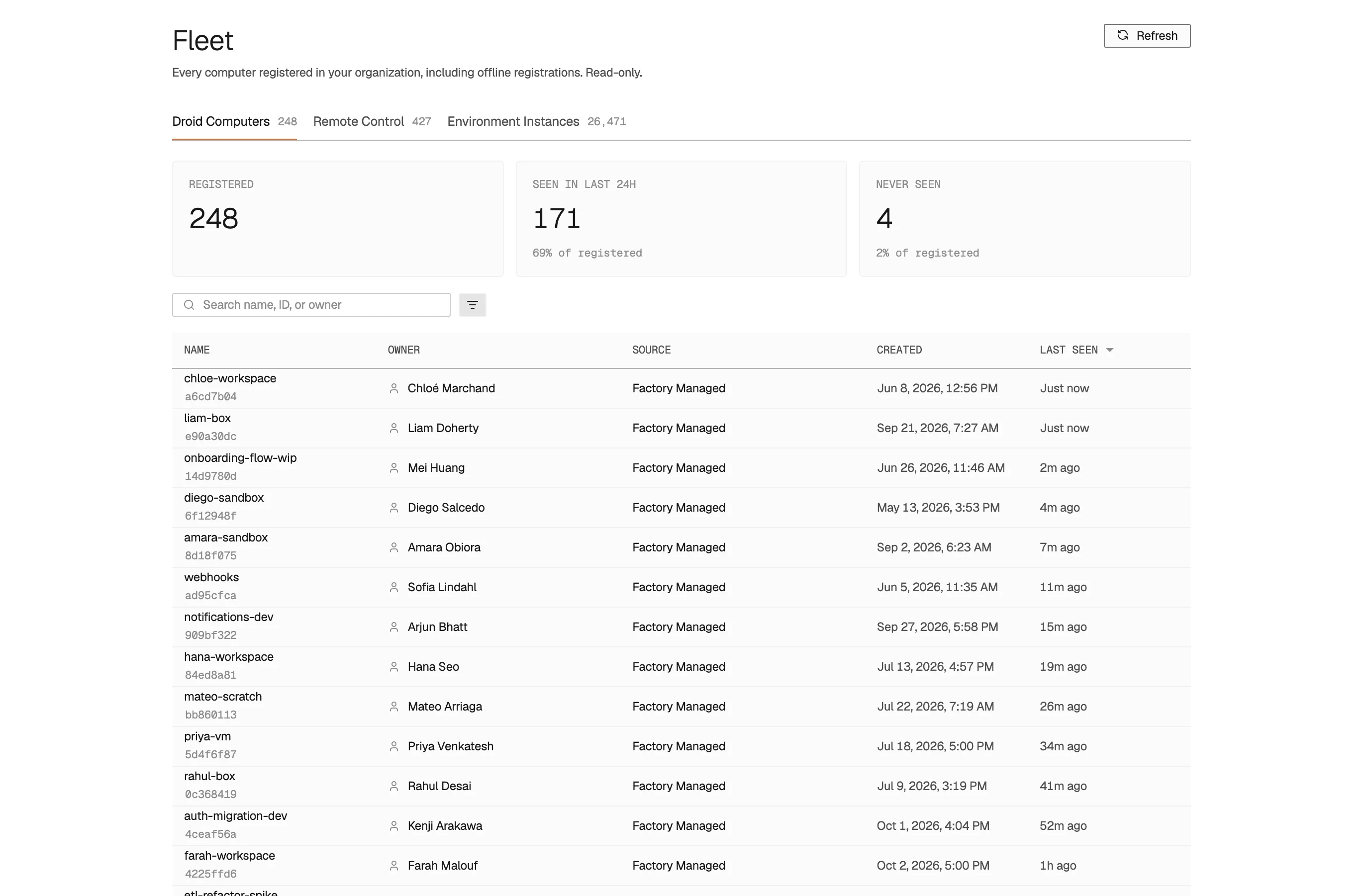
Admins decide which hosts a Droid can reach, which shell commands it can run, which commands need approval or can never run, and which Connectors and Skills it can use. When a Droid tries a command your policy blocks, the harness stops it before it runs.
The week ahead
Environments define the sandbox. During the rest of this week, we'll extend the fleet in new directions, with more sandboxes, in more places, reachable from more of the tools engineers already use. Wherever a Droid lands and wherever its task begins, it enforces the same policy and leaves the same record.
- Your machines: Droids on the hardware your team already owns.
- Your cloud: Droids on sandboxes that never leave your infrastructure.
- Your tools: Droids in the places engineering work begins.
Get started
Environments are available today for all plans. Open Settings → Environments in Factory and define your first one. Then get started with a Mission or Automation.