
【Click here to go directly to the upgrade tutorial】
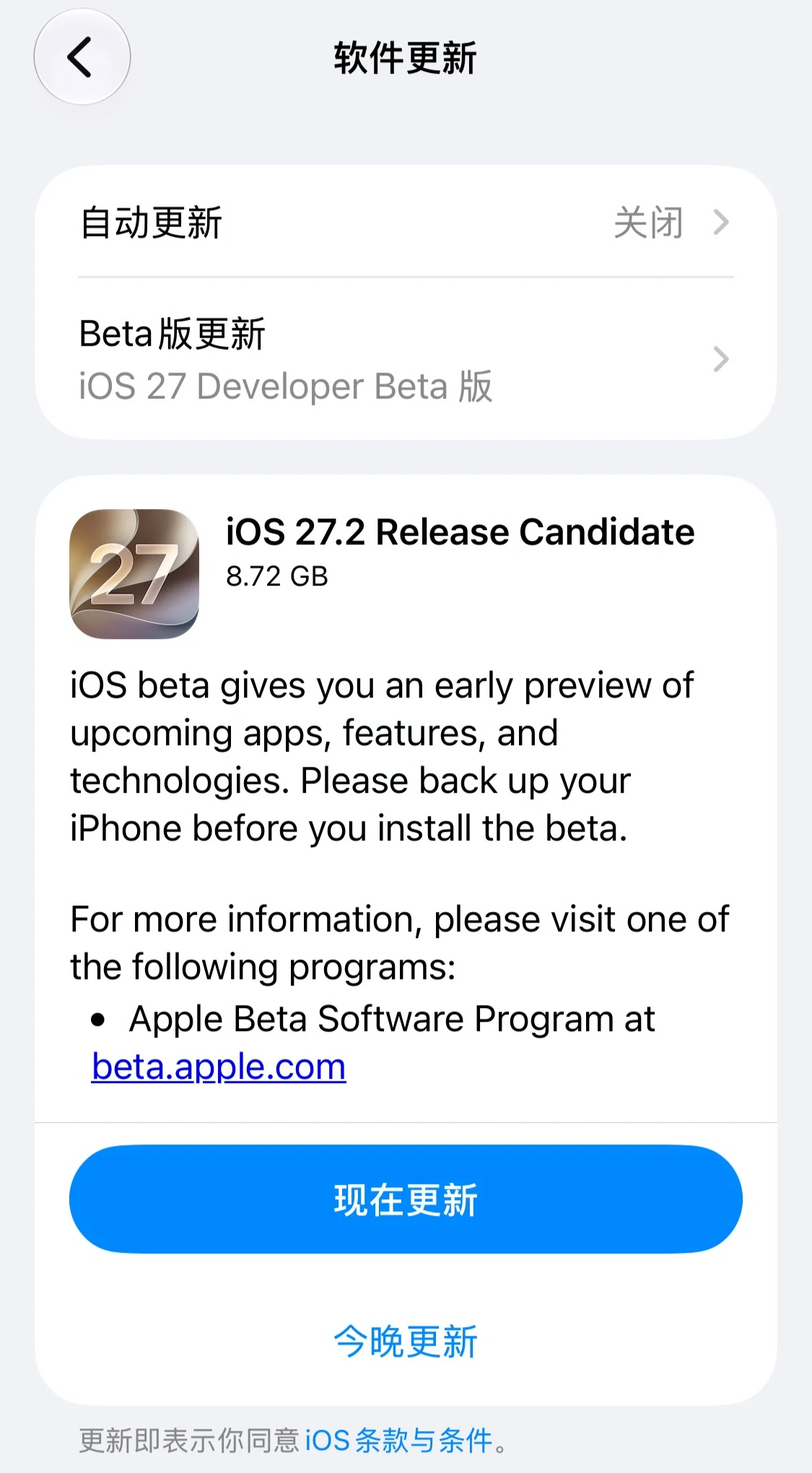
IT之家 news on October 20:Apple today pushed to iPhone and iPad users the iOS / iPadOS 27.2 RC update (internal build number: 24B115), 6 days after the previous Beta / RC release.
IT之家 attaches the screenshots related to this update below:
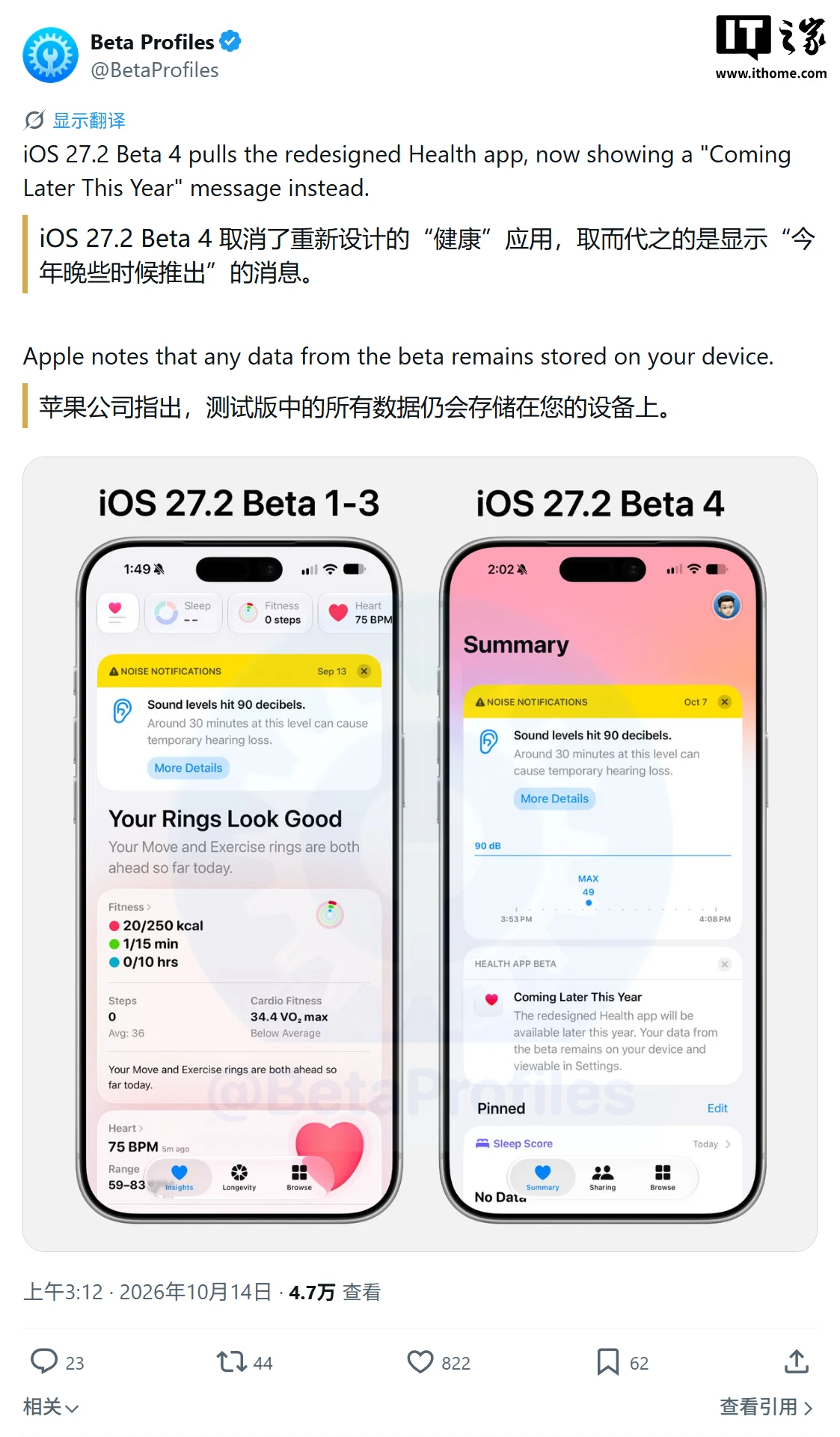
Regarding the update content, no new features added in iOS 27.2 RC compared to the iOS 27.2 Beta 4 update have been found yet. However, compared with the current iOS 27 versions (of which iOS 27.1 is exclusive to iPhone Duo), the main changes are concentrated in Siri AI language expansion, media apps, and some interactive features; the new "Health" app tested earlier has been withdrawn and is not included in this release.
As for Siri AI,Apple has added support for English, French, Japanese, Korean, Portuguese, and Spanish. Apple had previously confirmed these language expansions, and specific availability still depends on the user's region and device.
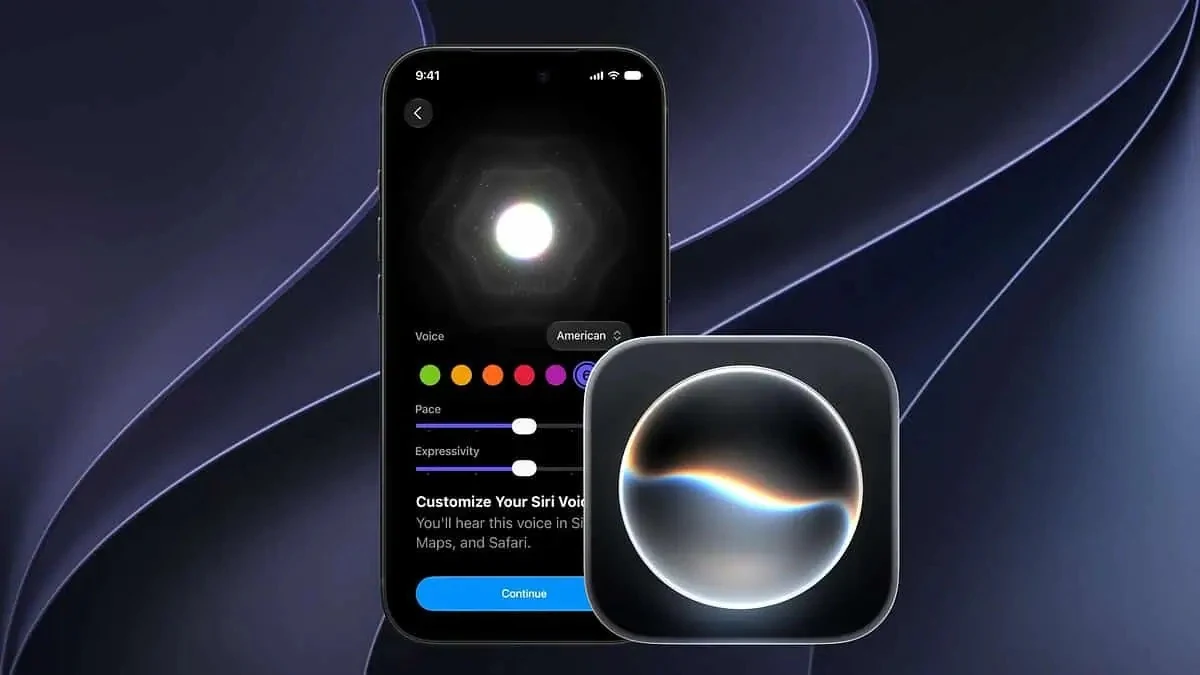
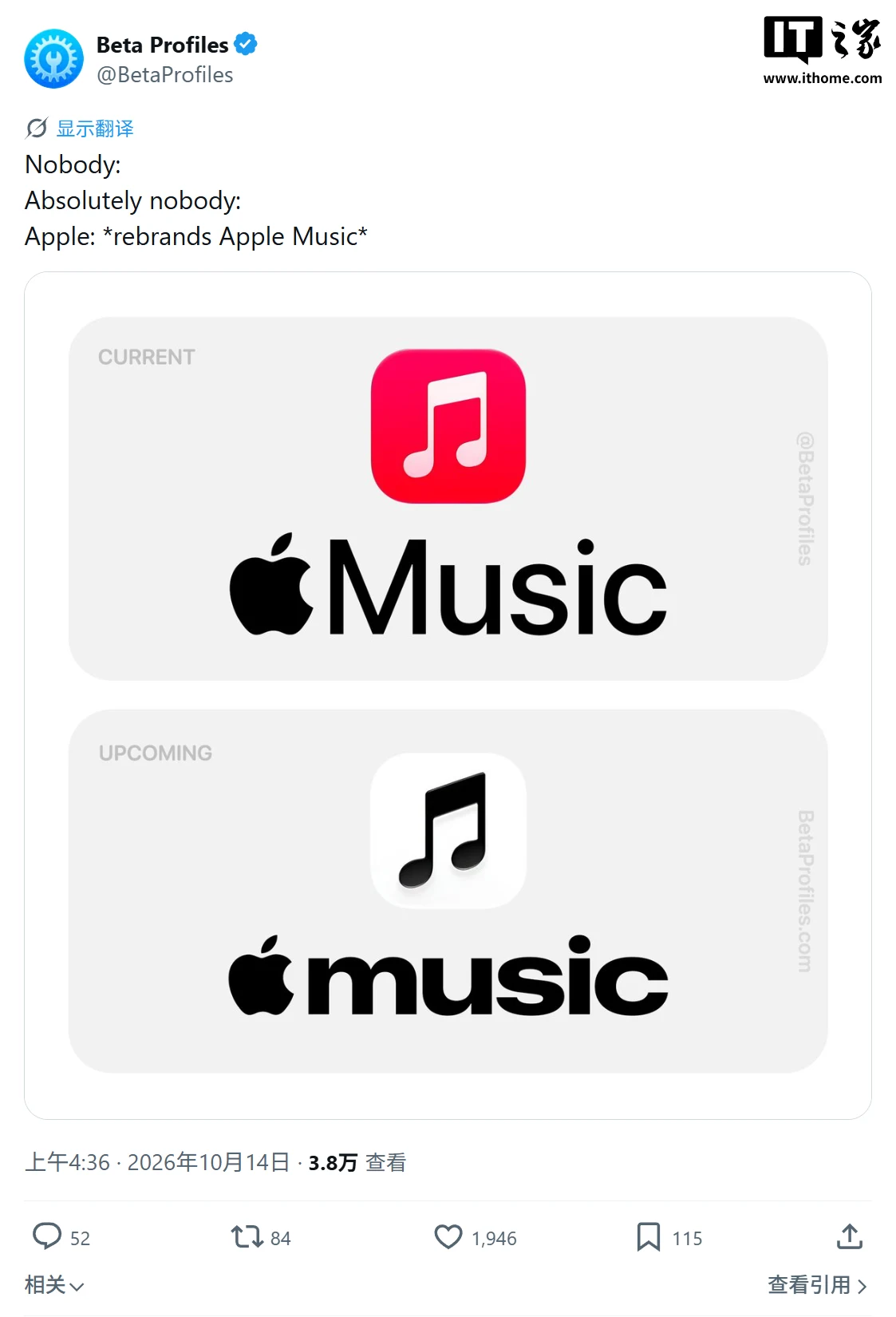
As for Apple Music,it switches to a new black-and-white iconand adjusts the in-app color scheme, with the currently selected tab highlighted in the blue theme color.
As for Apple Podcasts, Apple has redesigned the "Up Next" queue, adjusting how podcast episodes are organized.
Most notable is the new "Health" app: it appeared in early betas, but Apple has restored the original version in Beta 4, with the related new features postponed to a later update.
How to upgrade to iOS / iPadOS / watchOS / macOS developer betas and public betas?
• Public beta: you need to register for the Apple Beta Software Program, then upgrade via [Settings] [General] [Software Update] [Beta Updates];
• Developer preview: you need to sign in to the registeredApple Developer Program, then upgrade via [Settings] [General] [Software Update].
Attached: the complete collection of Apple iOS historical firmware downloads:
《Complete Collection of Apple iOS / iPadOS / macOS Firmware Downloads / Update Logs》
Attached: iOS / iPadOS 27 release history:
ITHome friends, if you find more new content, feel free to share your discoveries via article submissions or in the comments section ~
Advertising disclaimer: The external jump links contained in this article (including but not limited to hyperlinks, QR codes, passcodes, and other forms) are used to convey more information and save screening time; the results are for reference only. All ITHome articles containing external links include this disclaimer.