
特定のアプリケーションに適したモデルを選択するには、代表的な入力データでそのモデルをテストする実用的な方法が必要です。Amazon SageMaker JumpStartでは、すでに事前学習されたさまざまなモデルのカタログにアクセスできます。この記事では、SageMaker JumpStartから利用可能なモデルを展開し、SageMaker Python SDKを使用して軽量で再現性のある性能テストを実行し、テストが完了したらエンドポイントを削除する方法を紹介します。 サポートされているモデルと利用可能な容量の場合、このワークフローは再現可能な評価プロセスを提供しますが、導入時間はモデル、インスタンスタイプ、クォータ、AWSリージョンによって異なります。
2026年、SageMaker JumpStartは、モデルの発見とデプロイを簡素化する2つの改善を導入しました。Amazon SageMaker AIコンソールのModel Hubセクションでは、SageMaker JumpStartカタログを閲覧したり、サンプルノートブックを見たり、SageMaker Studioで直接開くことができます。 事前設定されたエンドポイントデプロイオプションは、低コスト、低レイテンシー、または汎用ワークロードなどの優先事項に最適化された名前付き構成を提供し、Neuronが最適化された構成を含むさまざまな生成型AIモデルに対応しています。さらに、新しい深層リンク統合を利用することで、Hugging Faceモデル検索からSageMaker AIデプロイまで、ワンクリックで行うことができます。
解決策の概要
私たちのアプローチでは、再利用可能なPythonスクリプトを使用し、3つのステップを実行します:
- SageMaker JumpStartからモデルを発見し、デプロイする。
- モデルに特化したサンプルプロンプトを実行し、レイテンシーを測定し、出力長の近似値と単一リクエスト生成率を調べる。
- エンドポイントを整える。
このパターンは、多くの互換性のあるSageMaker JumpStartモデルに対して有効ですが、ペイロード形式、必要なインスタンスタイプ、エンドユーザーライセンス契約(EULA)の要件、および応答スキーマは、モデルに特化した調整が必要になる場合があります。
前提条件
- SageMaker AIの権限を持つAWSアカウント。
- SageMaker Python SDK v3がインストールされたPython 3+(
pip install "sagemaker>=3,<4")。 - テストしたいモデルに必要なGPUインスタンスの割当量が十分か、または割当量の増加を申請してください。
ステップ1.a:利用可能なモデルを探す
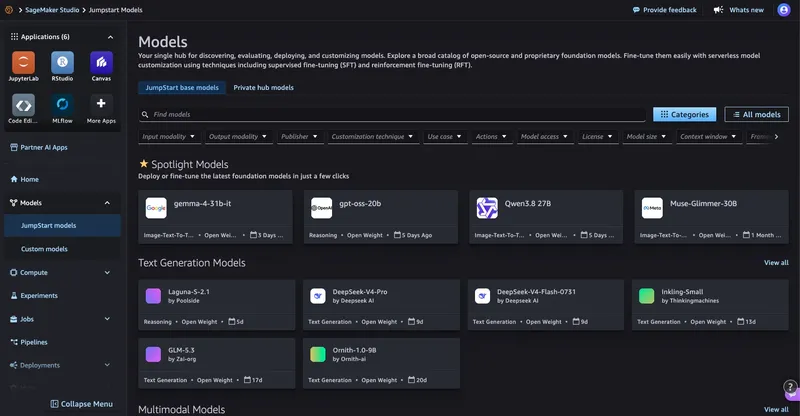
SageMaker JumpStartでモデルを見つけるためのUIパス:
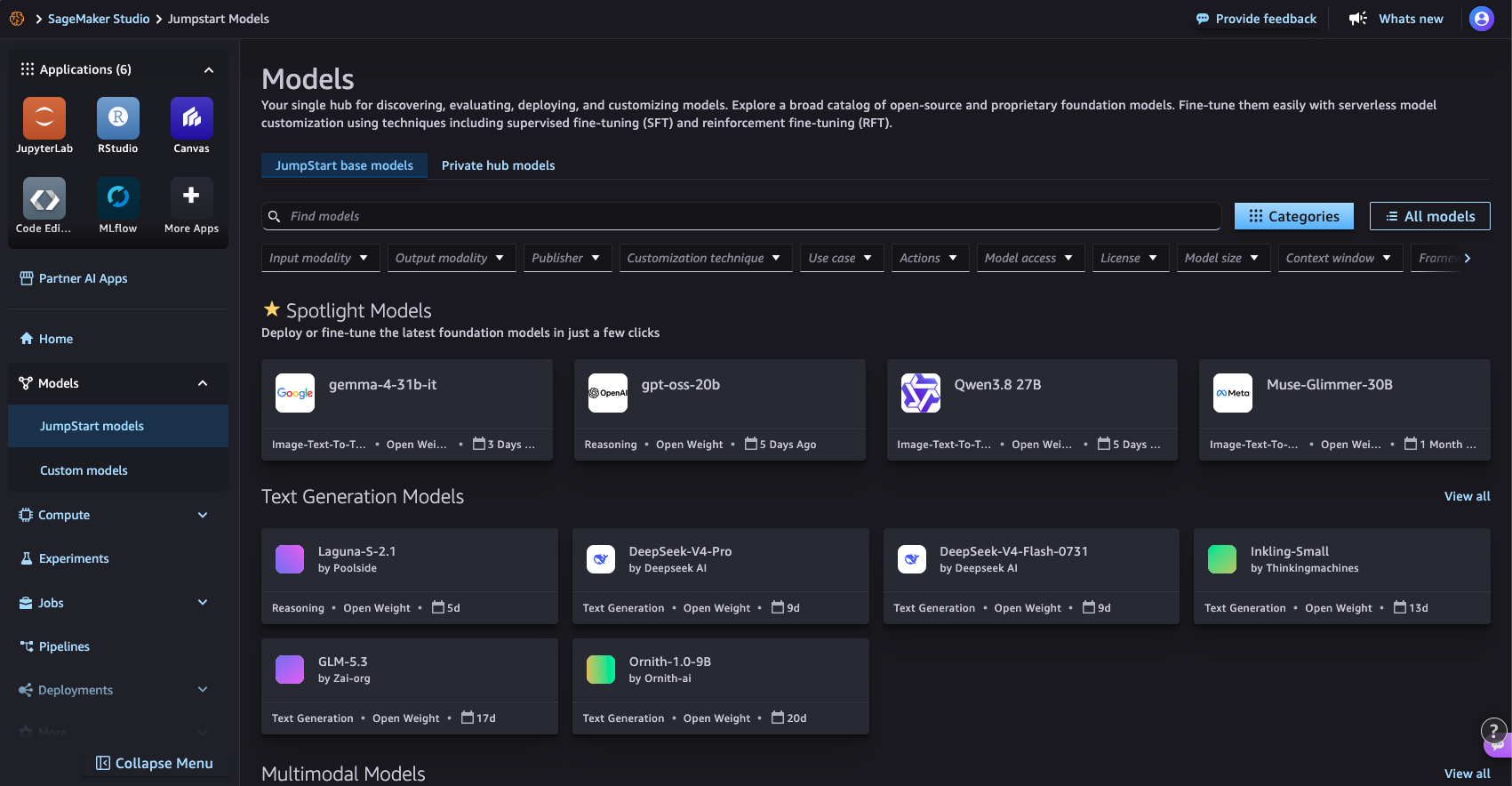
図1:SageMaker StudioのSageMaker JumpStart Modelsページでモデルカタログを閲覧する
SageMaker Python SDKを使用したコードパス:
from sagemaker.core.jumpstart.notebook_utils import (
    list_jumpstart_models,
)

REGION = "us-east-1"

models = list_jumpstart_models(
    filter="task == textgeneration",
    region=REGION,
    list_versions=True,
)

print(f"Found {len(models)} text generation models")

for model_id, model_version in models[:10]:
    print(
        f" - {model_id} "
        f"(version {model_version})"
    )
またはモデル名で検索する:
from sagemaker.core.jumpstart.notebook_utils import list_jumpstart_models

ids = list_jumpstart_models(
    filter="model_id contains qwen",
    region=REGION,
    list_versions=True,
)

print(f"{len(ids)} models matched in {REGION}\n")

for model_id, version in ids:
    print(f"{model_id:<55} v{version}")
ステップ1.b:モデルを配布する
SageMaker JumpStartからモデルをデプロイするためのUIパス:
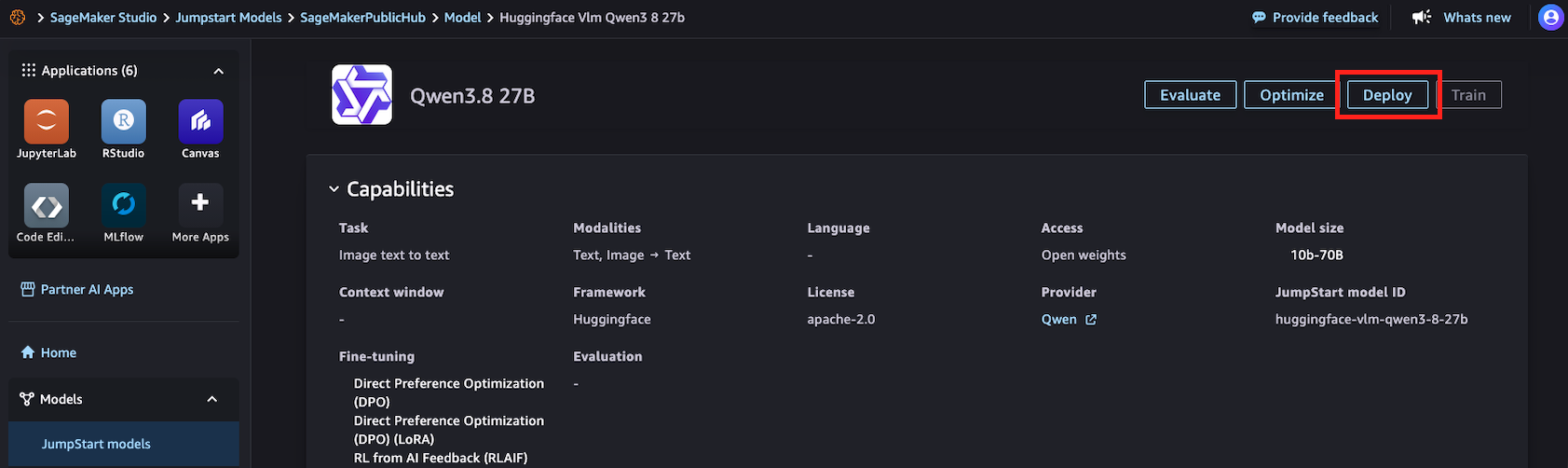
図2:SageMaker StudioのSageMaker JumpStart詳細ページからモデルをデプロイする
SageMaker Python SDKを使用したコードパス:
import time

from sagemaker.core.jumpstart.accessors import JumpStartModelsAccessor
from sagemaker.core.jumpstart.configs import JumpStartConfig
from sagemaker.core.training.configs import Compute
from sagemaker.serve import ModelBuilder

MODEL_ID = "huggingface-vlm-qwen3-5-27b"
MODEL_VERSION = "1.13.0"
REGION = "us-east-1"
ACCEPT_EULA = False  # Set True only after reviewing the model terms

def get_field(value, name, default=None):
    if isinstance(value, dict):
        return value.get(name, default)
    return getattr(value, name, default)

# Resolve the JumpStart-recommended deployment configuration.
specs = JumpStartModelsAccessor().get_model_specs(
    region=REGION,
    model_id=MODEL_ID,
    version=MODEL_VERSION,
)

if isinstance(specs, list):
    if not specs:
        raise ValueError(
            f"No JumpStart specification found for {MODEL_ID}"
        )
    specs = specs[0]

recommended_instance_type = get_field(
    specs,
    "default_inference_instance_type",
)

if not recommended_instance_type:
    raise ValueError(
        f"No recommended instance type found for {MODEL_ID}"
    )

print(f"Model: {MODEL_ID}")
print(f"Region: {REGION}")
print(f"Recommended instance: {recommended_instance_type}")

start = time.time()

jumpstart_config = JumpStartConfig(
    model_id=MODEL_ID,
    model_version=MODEL_VERSION,
    accept_eula=ACCEPT_EULA,
)

model_builder = ModelBuilder.from_jumpstart_config(
    jumpstart_config=jumpstart_config,
    compute=Compute(
        instance_type=recommended_instance_type,
        instance_count=1,
    ),
)

model = model_builder.build()
endpoint = model_builder.deploy()
deploy_time = time.time() - start

print(f"Deployed in {deploy_time:.1f} seconds")
print(f"Endpoint: {endpoint.endpoint_name}")
ステップ2:サンプルプロンプトを実行し、性能を測定する
from sagemaker.core.payloads import retrieve_all_examples
import json
import time

MODEL_ID = "huggingface-vlm-qwen3-5-27b"
MODEL_VERSION = "1.13.0"
REGION = "us-east-1"

example_payloads = retrieve_all_examples(
    region=REGION,
    model_id=MODEL_ID,
    model_version=MODEL_VERSION,
    serialize=True,
)

#you can re-create the endpoint pointer using the endpoint name:
#from sagemaker.core.resources import Endpoint
#endpoint = Endpoint.get(endpoint_name="<your_endpoint_name>",region=REGION)

def read_response_body(result):
    body = result.body
    if hasattr(body, "read"):
        body = body.read()
    if isinstance(body, bytes):
        body = body.decode("utf-8")
    if isinstance(body, str):
        try:
            return json.loads(body)
        except json.JSONDecodeError:
            return body
    return body

def extract_output(response):
    """Handle common JumpStart text-generation response formats."""
    if isinstance(response, list):
        response = response[0] if response else ""
    if isinstance(response, dict):
        choices = response.get("choices")
        if choices:
            choice = choices[0]
            message = choice.get("message")
            if isinstance(message, dict):
                return message.get("content", "")
            return choice.get("text", "")
        for field in (
            "generated_text",
            "output_text",
            "text",
        ):
            if field in response:
                return response[field]
    return response

results = []

for payload in example_payloads or []:
    start = time.perf_counter()
    result = endpoint.invoke(
        body=payload.body,
        content_type=payload.content_type,
        accept=payload.accept,
    )
    latency = time.perf_counter() - start
    response = read_response_body(result)
    output = extract_output(response)
    if not isinstance(output, str):
        output = json.dumps(output, indent=2)
    # This is an estimate based on whitespace-separated words.
    output_words = len(output.split())
    results.append(
        {
            "request_preview": payload.body[:50],
            "latency_s": round(latency, 2),
            "estimated_output_words": output_words,
            "words_per_second": round(
                output_words / latency,
                1,
            ) if latency > 0 else 0,
        }
    )
    print("Input:\n", payload.body, end="\n\n")
    print("Output:\n", output, end="\n\n")
    print(
        f"Latency: {latency:.2f} seconds\n"
        f"Estimated output words: {output_words}\n"
        f"Estimated single-request output generation rate: "
        f"{output_words / latency:.1f} words/second\n"
    )
    print("-" * 80)

print("\nSummary:")
for result in results:
    print(result)
結果:
Input:
{"max_tokens": 256, "messages": [{"content": "What is deep learning?", "role": "user"}], "model": "/opt/ml/model"}
Output:
Here's a thinking process that leads to the explanation of deep learning:
1. **Deconstruct the Request:**
* **Question:** "What is deep learning?"
* **Intent:** The user wants a clear, comprehensive, yet accessible definition and overview of deep learning.
* **Target Audience:** Likely someone looking for a general understanding, possibly a student, tech
enthusiast, or professional exploring the field. The tone should be informative, structured, and
not overly jargon-heavy (though key terms need explanation).
2. **Initial Brainstorming & Key Concepts:**
* What is it? A subset of machine learning, which is a subset of AI.
* Core mechanism: Artificial Neural Networks (ANNs).
* "Deep" means many layers (hidden layers).
* How does it work? Learning representations from data (feature learning).
* Key applications: Image recognition, NLP, speech, self-driving cars.
* Why is it popular now? Big data, GPU power, better algorithms.
* Pros/Cons: High accuracy vs. black box, data hunger.
3. **Structuring the Answer:**
Latency: 9.07 seconds
Estimated output words: 153
Estimated single-request output generation rate: 16.9 words/second
--------------------------------------------------------------------------------
Summary:
{'request_preview': '{"max_tokens": 256, "messages": {"content": "What', 'latency_s': 9.07, 'estimated_output_words': 153, 'words_per_second': 16.9}
ステップ3:クリーニング
print(f"Deleting endpoint: {endpoint.endpoint_name}")
endpoint.delete()
endpoint.wait_for_delete()
print("Endpoint deleted")
結論
このパターンは、利用可能な多くのSageMaker JumpStartモデルに対して有効ですが、ペイロードフォーマット、必要なインスタンスタイプ、EULA、および応答の解析には、モデルに特有の調整が必要になる場合があります。一貫したテストプロンプトを使用し、各モデルにおけるレイテンシ、スループット、出力品質を測定することで、異なるオプションを比較し、ワークロードに最適なものを選択することができます。
Amazon SageMaker JumpStartの異なるモデルでこの方法を試してみて、アプリケーションに最適な品質、速度、コストのバランスを見つけましょう。
参考文献
- SageMaker Python SDK ドキュメント
- SageMaker JumpStartデプロイのベンチマークと最適化(ブログ記事)
- Hugging FaceからSageMaker Studioへワンクリックで(ブログ記事)
- Amazon SageMaker JumpStart