
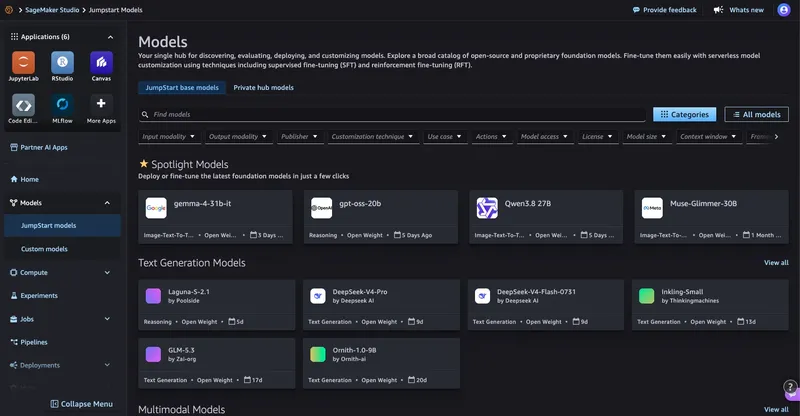
특정 애플리케이션에 적합한 모델을 선택하려면 대표적인 입력 데이터로 모델을 테스트할 수 있는 실용적인 방법이 필요합니다. Amazon SageMaker JumpStart는 이미 사전 학습된 다양한 모델들을 제공합니다. 이 글에서는 SageMaker JumpStart에서 사용 가능한 모델을 배포하는 방법, SageMaker Python SDK를 사용하여 가벼고 반복 가능한 성능 테스트를 수행하는 방법, 그리고 테스트가 완료되면 엔드포인트를 삭제하는 방법을 설명합니다. 지원되는 모델과 사용 가능한 용량이 있는 경우, 이 워크플로우는 반복 가능한 평가 경로를 제공하지만, 배포 시간은 모델, 인스턴스 유형, 할당량 및 AWS 지역에 따라 달라집니다.
2026년에 SageMaker JumpStart는 모델 발견 및 배포를 간소화하는 두 가지 개선 사항을 도입했습니다. Amazon SageMaker AI 콘솔의 Model Hub 섹션에서는 SageMaker JumpStart 카탈로그를 검색하고 샘플 노트북을 볼 수 있으며, 이를 직접 SageMaker Studio에서 열 수 있습니다. 사전 설정된 엔드포인트 배포 옵션은 저비용, 낮은 지연 시간 또는 일반적인 워크로드와 같은 우선순위에 최적화된 명명된 구성을 제공하며, Neuron을 최적화한 구성도 포함됩니다. 또한 새로운 deep link 통합 기능을 사용하면 Hugging Face 모델 발견부터 SageMaker AI 배포까지 단 한 번의 클릭으로 처리할 수 있습니다.
솔루션 개요
우리의 접근 방식은 세 단계를 수행하는 재사용 가능한 파이썬 스크립트를 사용합니다:
- SageMaker JumpStart를 통해 모델을 발견하고 배포하세요.
- 모델에 특화된 샘플 프롬프트를 실행하여 지연 시간을 측정하고, 출력 길이의 추정치와 단일 요청 생성 속도를 확인합니다.
- 엔드포인트를 정리하세요.
이 패턴은 많은 호환되는 SageMaker JumpStart 모델에 적용됩니다. 그러나 페이로드 형식, 필요한 인스턴스 유형, 최종 사용자 라이선스 계약(EULA) 요구사항, 응답 스키마는 모델별로 조정이 필요할 수 있습니다.
전제 조건
- SageMaker AI 권한이 있는 AWS 계정.
- SageMaker Python SDK v3가 설치된 Python 3+ (
pip install "sagemaker>=3,<4"). - 테스트하려는 모델에 필요한 충분한 GPU 인스턴스 할당량 또는 할당량 증가 요청.
Step 1.a: 사용 가능한 모델을 찾아보기
SageMaker JumpStart에서 모델을 찾는 UI 경로:
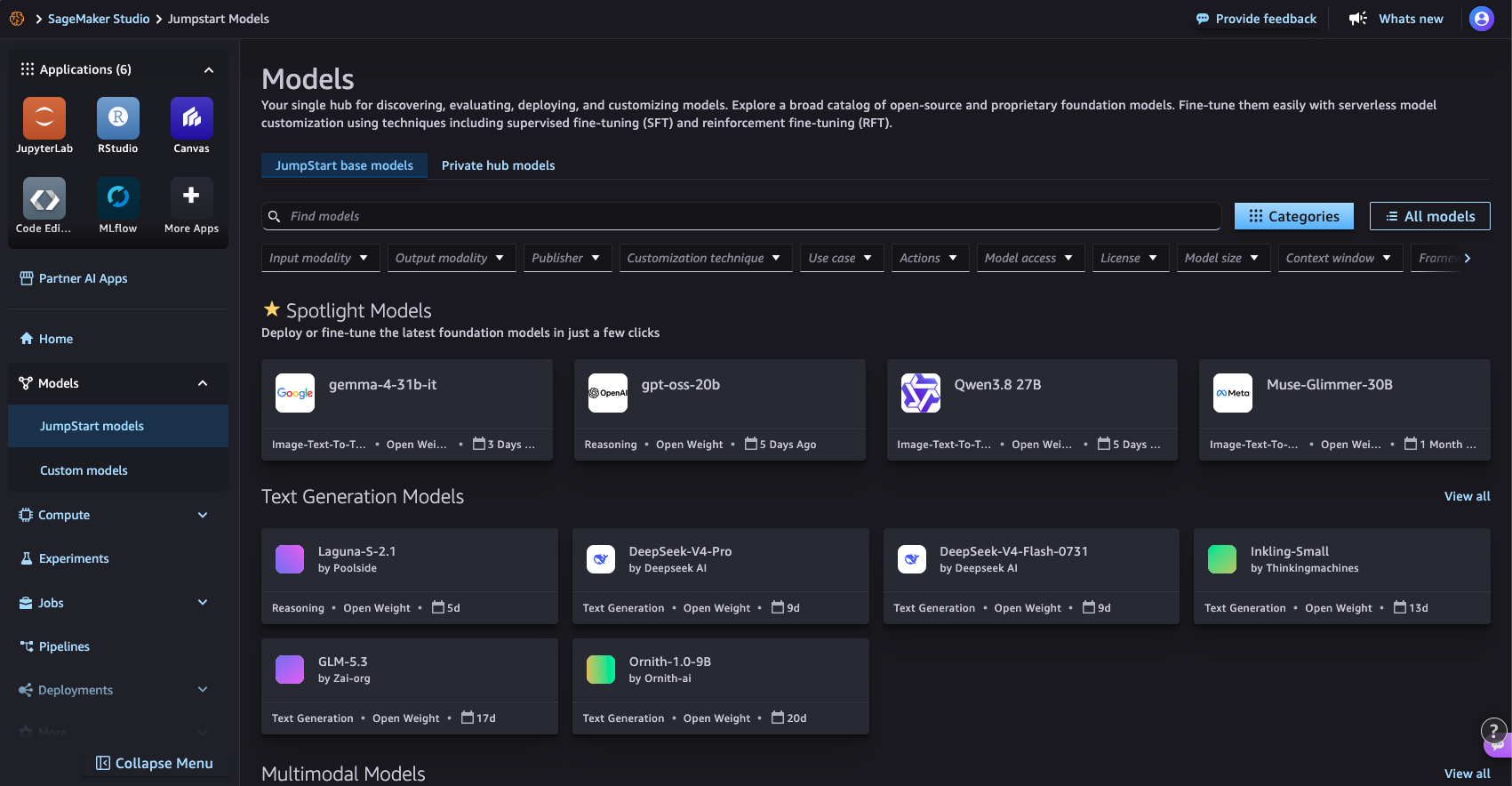
그림 1: SageMaker Studio의 SageMaker JumpStart Models 페이지에서 모델 카탈로그를 탐색하는 모습
SageMaker Python SDK를 사용하는 코드 경로:
from sagemaker.core.jumpstart.notebook_utils import (
    list_jumpstart_models,
)

REGION = "us-east-1"

models = list_jumpstart_models(
    filter="task == textgeneration",
    region=REGION,
    list_versions=True,
)

print(f"Found {len(models)} text generation models")

for model_id, model_version in models[:10]:
    print(
        f" - {model_id} "
        f"(version {model_version})"
    )
또는 모델 이름으로 검색하세요:
from sagemaker.core.jumpstart.notebook_utils import list_jumpstart_models

ids = list_jumpstart_models(
    filter="model_id contains qwen",
    region=REGION,
    list_versions=True,
)

print(f"{len(ids)} models matched in {REGION}\n")

for model_id, version in ids:
    print(f"{model_id:<55} v{version}")
단계 1.b: 모델 배포
SageMaker JumpStart에서 모델을 배포하는 UI 경로
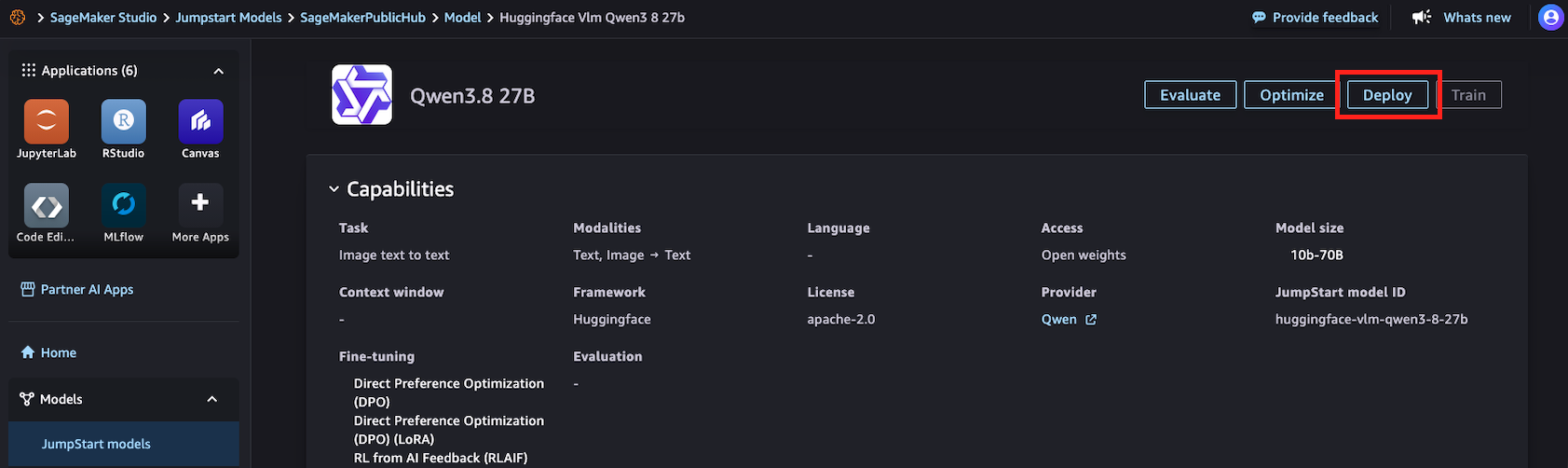
그림 2: SageMaker Studio의 SageMaker JumpStart 상세 페이지에서 모델을 배포하는 방법
SageMaker Python SDK를 사용하는 코드 경로:
import time

from sagemaker.core.jumpstart.accessors import JumpStartModelsAccessor
from sagemaker.core.jumpstart.configs import JumpStartConfig
from sagemaker.core.training.configs import Compute
from sagemaker.serve import ModelBuilder

MODEL_ID = "huggingface-vlm-qwen3-5-27b"
MODEL_VERSION = "1.13.0"
REGION = "us-east-1"
ACCEPT_EULA = False  # Set True only after reviewing the model terms

def get_field(value, name, default=None):
    if isinstance(value, dict):
        return value.get(name, default)
    return getattr(value, name, default)

# Resolve the JumpStart-recommended deployment configuration.
specs = JumpStartModelsAccessor().get_model_specs(
    region=REGION,
    model_id=MODEL_ID,
    version=MODEL_VERSION,
)

if isinstance(specs, list):
    if not specs:
        raise ValueError(
            f"No JumpStart specification found for {MODEL_ID}"
        )
    specs = specs[0]

recommended_instance_type = get_field(
    specs,
    "default_inference_instance_type",
)

if not recommended_instance_type:
    raise ValueError(
        f"No recommended instance type found for {MODEL_ID}"
    )

print(f"Model: {MODEL_ID}")
print(f"Region: {REGION}")
print(f"Recommended instance: {recommended_instance_type}")

start = time.time()

jumpstart_config = JumpStartConfig(
    model_id=MODEL_ID,
    model_version=MODEL_VERSION,
    accept_eula=ACCEPT_EULA,
)

model_builder = ModelBuilder.from_jumpstart_config(
    jumpstart_config=jumpstart_config,
    compute=Compute(
        instance_type=recommended_instance_type,
        instance_count=1,
    ),
)

model = model_builder.build()
endpoint = model_builder.deploy()
deploy_time = time.time() - start

print(f"Deployed in {deploy_time:.1f} seconds")
print(f"Endpoint: {endpoint.endpoint_name}")
2단계: 샘플 프롬프트를 실행하고 성능을 측정하세요
from sagemaker.core.payloads import retrieve_all_examples
import json
import time

MODEL_ID = "huggingface-vlm-qwen3-5-27b"
MODEL_VERSION = "1.13.0"
REGION = "us-east-1"

example_payloads = retrieve_all_examples(
    region=REGION,
    model_id=MODEL_ID,
    model_version=MODEL_VERSION,
    serialize=True,
)

#you can re-create the endpoint pointer using the endpoint name:
#from sagemaker.core.resources import Endpoint
#endpoint = Endpoint.get(endpoint_name="<your_endpoint_name>",region=REGION)

def read_response_body(result):
    body = result.body
    if hasattr(body, "read"):
        body = body.read()
    if isinstance(body, bytes):
        body = body.decode("utf-8")
    if isinstance(body, str):
        try:
            return json.loads(body)
        except json.JSONDecodeError:
            return body
    return body

def extract_output(response):
    """Handle common JumpStart text-generation response formats."""
    if isinstance(response, list):
        response = response[0] if response else ""
    if isinstance(response, dict):
        choices = response.get("choices")
        if choices:
            choice = choices[0]
            message = choice.get("message")
            if isinstance(message, dict):
                return message.get("content", "")
            return choice.get("text", "")
        for field in (
            "generated_text",
            "output_text",
            "text",
        ):
            if field in response:
                return response[field]
    return response

results = []

for payload in example_payloads or []:
    start = time.perf_counter()
    result = endpoint.invoke(
        body=payload.body,
        content_type=payload.content_type,
        accept=payload.accept,
    )
    latency = time.perf_counter() - start
    response = read_response_body(result)
    output = extract_output(response)
    if not isinstance(output, str):
        output = json.dumps(output, indent=2)
    # This is an estimate based on whitespace-separated words.
    output_words = len(output.split())
    results.append(
        {
            "request_preview": payload.body[:50],
            "latency_s": round(latency, 2),
            "estimated_output_words": output_words,
            "words_per_second": round(
                output_words / latency,
                1,
            ) if latency > 0 else 0,
        }
    )
    print("Input:\n", payload.body, end="\n\n")
    print("Output:\n", output, end="\n\n")
    print(
        f"Latency: {latency:.2f} seconds\n"
        f"Estimated output words: {output_words}\n"
        f"Estimated single-request output generation rate: "
        f"{output_words / latency:.1f} words/second\n"
    )
    print("-" * 80)

print("\nSummary:")
for result in results:
    print(result)
결과:
Input:
{"max_tokens": 256, "messages": [{"content": "What is deep learning?", "role": "user"}], "model": "/opt/ml/model"}
Output:
Here's a thinking process that leads to the explanation of deep learning:
1. **Deconstruct the Request:**
* **Question:** "What is deep learning?"
* **Intent:** The user wants a clear, comprehensive, yet accessible definition and overview of deep learning.
* **Target Audience:** Likely someone looking for a general understanding, possibly a student, tech
enthusiast, or professional exploring the field. The tone should be informative, structured, and
not overly jargon-heavy (though key terms need explanation).
2. **Initial Brainstorming & Key Concepts:**
* What is it? A subset of machine learning, which is a subset of AI.
* Core mechanism: Artificial Neural Networks (ANNs).
* "Deep" means many layers (hidden layers).
* How does it work? Learning representations from data (feature learning).
* Key applications: Image recognition, NLP, speech, self-driving cars.
* Why is it popular now? Big data, GPU power, better algorithms.
* Pros/Cons: High accuracy vs. black box, data hunger.
3. **Structuring the Answer:**
Latency: 9.07 seconds
Estimated output words: 153
Estimated single-request output generation rate: 16.9 words/second
--------------------------------------------------------------------------------
Summary:
{'request_preview': '{"max_tokens": 256, "messages": {"content": "What', 'latency_s': 9.07, 'estimated_output_words': 153, 'words_per_second': 16.9}
3단계: 정리
print(f"Deleting endpoint: {endpoint.endpoint_name}")
endpoint.delete()
endpoint.wait_for_delete()
print("Endpoint deleted")
결론
이 패턴은 사용 가능한 많은 SageMaker JumpStart 모델에 적용될 수 있지만, 페이로드 형식, 필요한 인스턴스 유형, EULA, 그리고 응답 파싱 방식은 모델별로 조정이 필요할 수 있습니다. 일관된 테스트 프롬프트를 사용하고 각 모델에서 지연 시간, 처리량, 출력 품질을 측정함으로써 다양한 옵션을 비교하여 자신의 작업량에 가장 적합한 모델을 선택할 수 있습니다.
Amazon SageMaker JumpStart의 다양한 모델로 이 방법을 시도하여, 애플리케이션에 적합한 품질, 속도, 비용의 균형을 찾으세요.
참고 문헌
- SageMaker Python SDK 문서
- SageMaker JumpStart 배포를 벤치마크하고 최적화하기 (블로그 글)
- 한 번의 클릭으로 Hugging Face에서 SageMaker Studio로 (블로그 글)
- 아마존 SageMaker JumpStart