
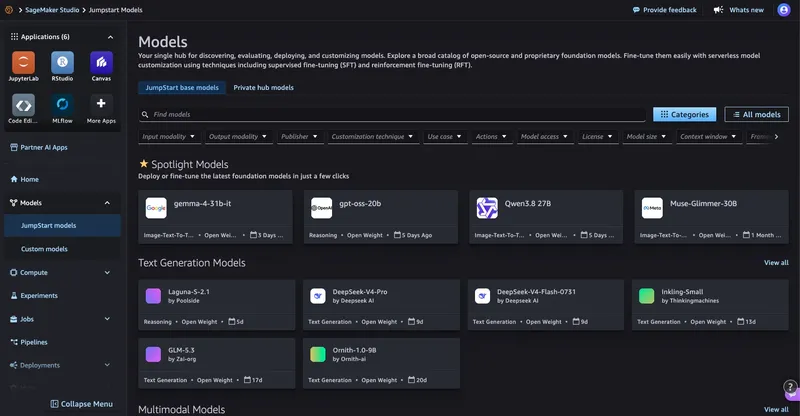
为特定应用选择合适的模型,需要一种能够用代表性输入对模型进行测试的实际方法。Amazon SageMaker JumpStart 提供了大量已经预训练的模型目录。在本文中,我们将介绍如何从 SageMaker JumpStart 部署可用模型,使用 SageMaker Python SDK 进行轻量级且可重复的性能测试,并在测试完成后删除端点。 对于受支持的模型和可用的容量,此工作流能够提供可重复的评估路径,不过部署时间会因模型、实例类型、配额以及 AWS 区域的不同而有所差异。
在 2026 年,SageMaker JumpStart 引入了两项改进,旨在简化模型发现与部署过程。在 Amazon SageMaker AI 控制台的 Model Hub 部分,你可以浏览 SageMaker JumpStart 目录,查看示例笔记本文件,并直接在 SageMaker Studio 中打开这些文件。 预配置的端点部署选项提供了具有特定优先级的配置方案,例如低成本、低延迟或通用工作负载,适用于各种生成式 AI 模型,包括 Neuron 优化的配置。此外,通过新的深度链接集成,现在只需一次点击即可从 Hugging Face 模型发现过渡到 SageMaker AI 部署。
解决方案概述
我们的方法使用了一个可复用的 Python 脚本,该脚本执行三个步骤:
- 通过 SageMaker JumpStart 发现并部署模型。
- 运行模型特定的示例提示,测量延迟时间、近似输出长度以及单次请求生成速率。
- 清理端点。
此模式适用于许多兼容的 SageMaker JumpStart 模型,不过载荷格式、所需的实例类型、最终用户许可协议(EULA)要求以及响应模式可能需要针对特定模型进行调整。
先决条件
- 一个具有 SageMaker AI 权限的 AWS 账户。
- 安装了 Python 3+ 及 SageMaker Python SDK v3 的版本 (
pip install "sagemaker>=3,<4")。 - 用于您要测试的模型的足够 GPU 实例配额,或申请配额增加。
步骤 1.a:查找可用的型号
SageMaker JumpStart 中查找模型的 UI 路径:
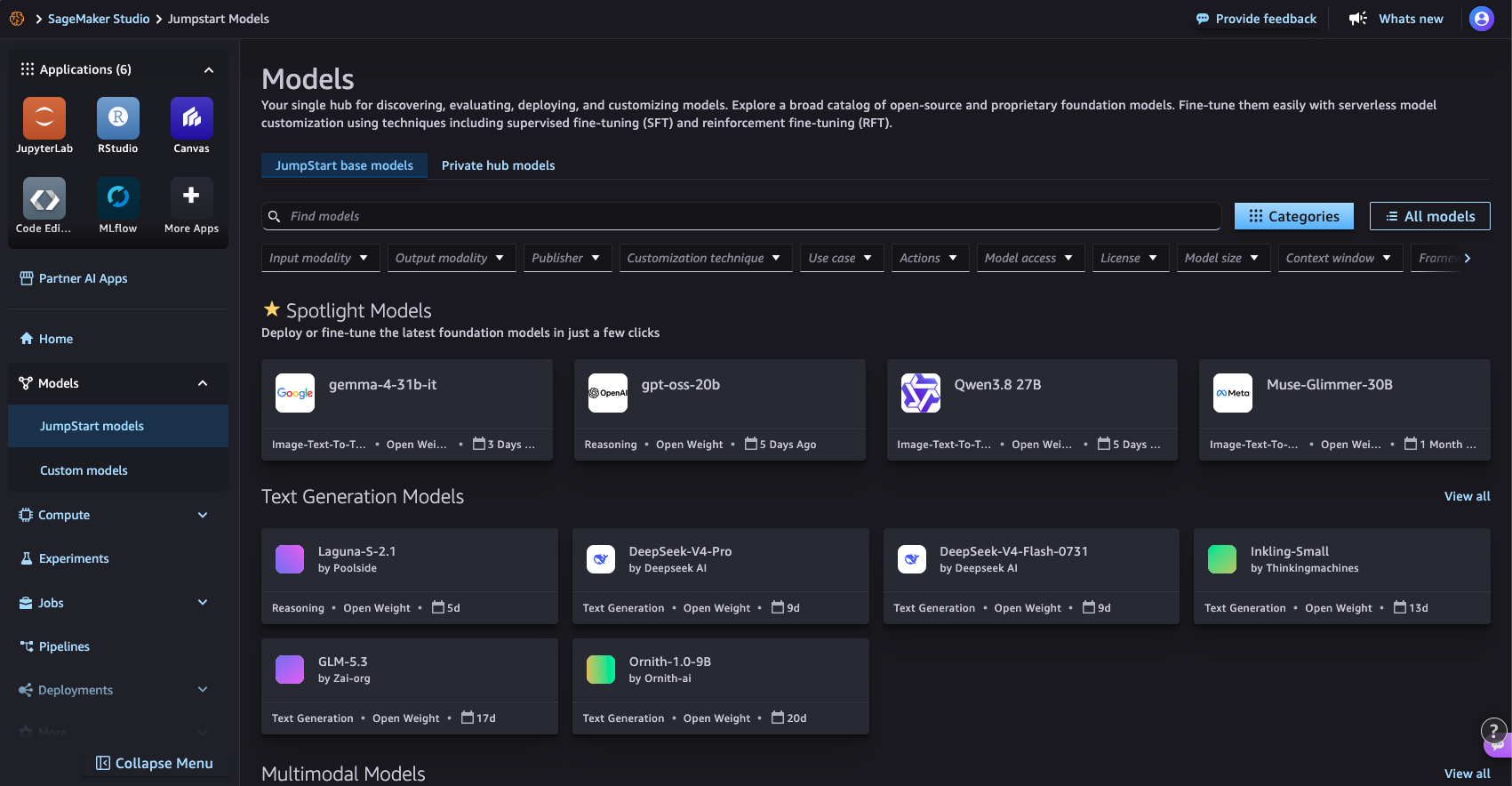
图 1:在 SageMaker Studio 的 SageMaker JumpStart Models 页面上浏览模型目录
使用 SageMaker Python SDK 的代码路径:
from sagemaker.core.jumpstart.notebook_utils import (
    list_jumpstart_models,
)

REGION = "us-east-1"

models = list_jumpstart_models(
    filter="task == textgeneration",
    region=REGION,
    list_versions=True,
)

print(f"Found {len(models)} text generation models")

for model_id, model_version in models[:10]:
    print(
        f" - {model_id} "
        f"(version {model_version})"
    )
或按型号名称搜索:
from sagemaker.core.jumpstart.notebook_utils import list_jumpstart_models

ids = list_jumpstart_models(
    filter="model_id contains qwen",
    region=REGION,
    list_versions=True,
)

print(f"{len(ids)} models matched in {REGION}\n")

for model_id, version in ids:
    print(f"{model_id:<55} v{version}")
步骤 1.b:部署模型
从 SageMaker JumpStart 部署模型的 UI 路径
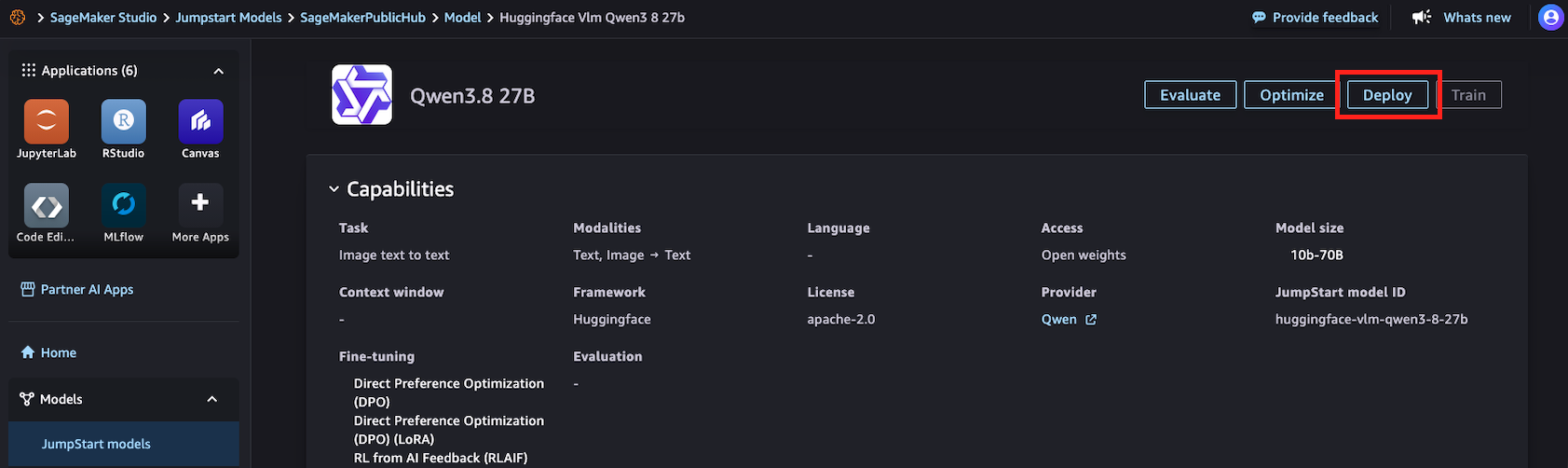
图 2:在 SageMaker Studio 中从 SageMaker JumpStart 详情页面部署模型
使用 SageMaker Python SDK 的代码路径:
import time

from sagemaker.core.jumpstart.accessors import JumpStartModelsAccessor
from sagemaker.core.jumpstart.configs import JumpStartConfig
from sagemaker.core.training.configs import Compute
from sagemaker.serve import ModelBuilder

MODEL_ID = "huggingface-vlm-qwen3-5-27b"
MODEL_VERSION = "1.13.0"
REGION = "us-east-1"
ACCEPT_EULA = False  # Set True only after reviewing the model terms

def get_field(value, name, default=None):
    if isinstance(value, dict):
        return value.get(name, default)
    return getattr(value, name, default)

# Resolve the JumpStart-recommended deployment configuration.
specs = JumpStartModelsAccessor().get_model_specs(
    region=REGION,
    model_id=MODEL_ID,
    version=MODEL_VERSION,
)

if isinstance(specs, list):
    if not specs:
        raise ValueError(
            f"No JumpStart specification found for {MODEL_ID}"
        )
    specs = specs[0]

recommended_instance_type = get_field(
    specs,
    "default_inference_instance_type",
)

if not recommended_instance_type:
    raise ValueError(
        f"No recommended instance type found for {MODEL_ID}"
    )

print(f"Model: {MODEL_ID}")
print(f"Region: {REGION}")
print(f"Recommended instance: {recommended_instance_type}")

start = time.time()

jumpstart_config = JumpStartConfig(
    model_id=MODEL_ID,
    model_version=MODEL_VERSION,
    accept_eula=ACCEPT_EULA,
)

model_builder = ModelBuilder.from_jumpstart_config(
    jumpstart_config=jumpstart_config,
    compute=Compute(
        instance_type=recommended_instance_type,
        instance_count=1,
    ),
)

model = model_builder.build()
endpoint = model_builder.deploy()
deploy_time = time.time() - start

print(f"Deployed in {deploy_time:.1f} seconds")
print(f"Endpoint: {endpoint.endpoint_name}")
步骤 2:运行示例提示并测量性能
from sagemaker.core.payloads import retrieve_all_examples
import json
import time

MODEL_ID = "huggingface-vlm-qwen3-5-27b"
MODEL_VERSION = "1.13.0"
REGION = "us-east-1"

example_payloads = retrieve_all_examples(
    region=REGION,
    model_id=MODEL_ID,
    model_version=MODEL_VERSION,
    serialize=True,
)

#you can re-create the endpoint pointer using the endpoint name:
#from sagemaker.core.resources import Endpoint
#endpoint = Endpoint.get(endpoint_name="<your_endpoint_name>",region=REGION)

def read_response_body(result):
    body = result.body
    if hasattr(body, "read"):
        body = body.read()
    if isinstance(body, bytes):
        body = body.decode("utf-8")
    if isinstance(body, str):
        try:
            return json.loads(body)
        except json.JSONDecodeError:
            return body
    return body

def extract_output(response):
    """Handle common JumpStart text-generation response formats."""
    if isinstance(response, list):
        response = response[0] if response else ""
    if isinstance(response, dict):
        choices = response.get("choices")
        if choices:
            choice = choices[0]
            message = choice.get("message")
            if isinstance(message, dict):
                return message.get("content", "")
            return choice.get("text", "")
        for field in (
            "generated_text",
            "output_text",
            "text",
        ):
            if field in response:
                return response[field]
    return response

results = []

for payload in example_payloads or []:
    start = time.perf_counter()
    result = endpoint.invoke(
        body=payload.body,
        content_type=payload.content_type,
        accept=payload.accept,
    )
    latency = time.perf_counter() - start
    response = read_response_body(result)
    output = extract_output(response)
    if not isinstance(output, str):
        output = json.dumps(output, indent=2)
    # This is an estimate based on whitespace-separated words.
    output_words = len(output.split())
    results.append(
        {
            "request_preview": payload.body[:50],
            "latency_s": round(latency, 2),
            "estimated_output_words": output_words,
            "words_per_second": round(
                output_words / latency,
                1,
            ) if latency > 0 else 0,
        }
    )
    print("Input:\n", payload.body, end="\n\n")
    print("Output:\n", output, end="\n\n")
    print(
        f"Latency: {latency:.2f} seconds\n"
        f"Estimated output words: {output_words}\n"
        f"Estimated single-request output generation rate: "
        f"{output_words / latency:.1f} words/second\n"
    )
    print("-" * 80)

print("\nSummary:")
for result in results:
    print(result)
结果:
Input:
{"max_tokens": 256, "messages": [{"content": "What is deep learning?", "role": "user"}], "model": "/opt/ml/model"}
Output:
Here's a thinking process that leads to the explanation of deep learning:
1. **Deconstruct the Request:**
* **Question:** "What is deep learning?"
* **Intent:** The user wants a clear, comprehensive, yet accessible definition and overview of deep learning.
* **Target Audience:** Likely someone looking for a general understanding, possibly a student, tech
enthusiast, or professional exploring the field. The tone should be informative, structured, and
not overly jargon-heavy (though key terms need explanation).
2. **Initial Brainstorming & Key Concepts:**
* What is it? A subset of machine learning, which is a subset of AI.
* Core mechanism: Artificial Neural Networks (ANNs).
* "Deep" means many layers (hidden layers).
* How does it work? Learning representations from data (feature learning).
* Key applications: Image recognition, NLP, speech, self-driving cars.
* Why is it popular now? Big data, GPU power, better algorithms.
* Pros/Cons: High accuracy vs. black box, data hunger.
3. **Structuring the Answer:**
Latency: 9.07 seconds
Estimated output words: 153
Estimated single-request output generation rate: 16.9 words/second
--------------------------------------------------------------------------------
Summary:
{'request_preview': '{"max_tokens": 256, "messages": {"content": "What', 'latency_s': 9.07, 'estimated_output_words': 153, 'words_per_second': 16.9}
步骤 3:清理
print(f"Deleting endpoint: {endpoint.endpoint_name}")
endpoint.delete()
endpoint.wait_for_delete()
print("Endpoint deleted")
结论
这种模式适用于许多可用的 SageMaker JumpStart 模型,但有效载荷格式、所需的实例类型、最终用户许可协议以及响应解析方式可能需要针对特定模型进行调整。通过使用统一的测试提示,并测量各模型的延迟时间、吞吐量及输出质量,您可以比较不同选项,从而选择适合您工作负载的合适方案。
尝试使用 Amazon SageMaker JumpStart 中的不同模型,以找到适合您应用程序的质量、速度和成本之间的最佳平衡。
参考文选
- SageMaker Python SDK 文档
- SageMaker JumpStart 部署的基准测试与优化(博客文章)
- 从 Hugging Face 到 SageMaker Studio 一键完成(博客文章)
- Amazon SageMaker JumpStart